The services board
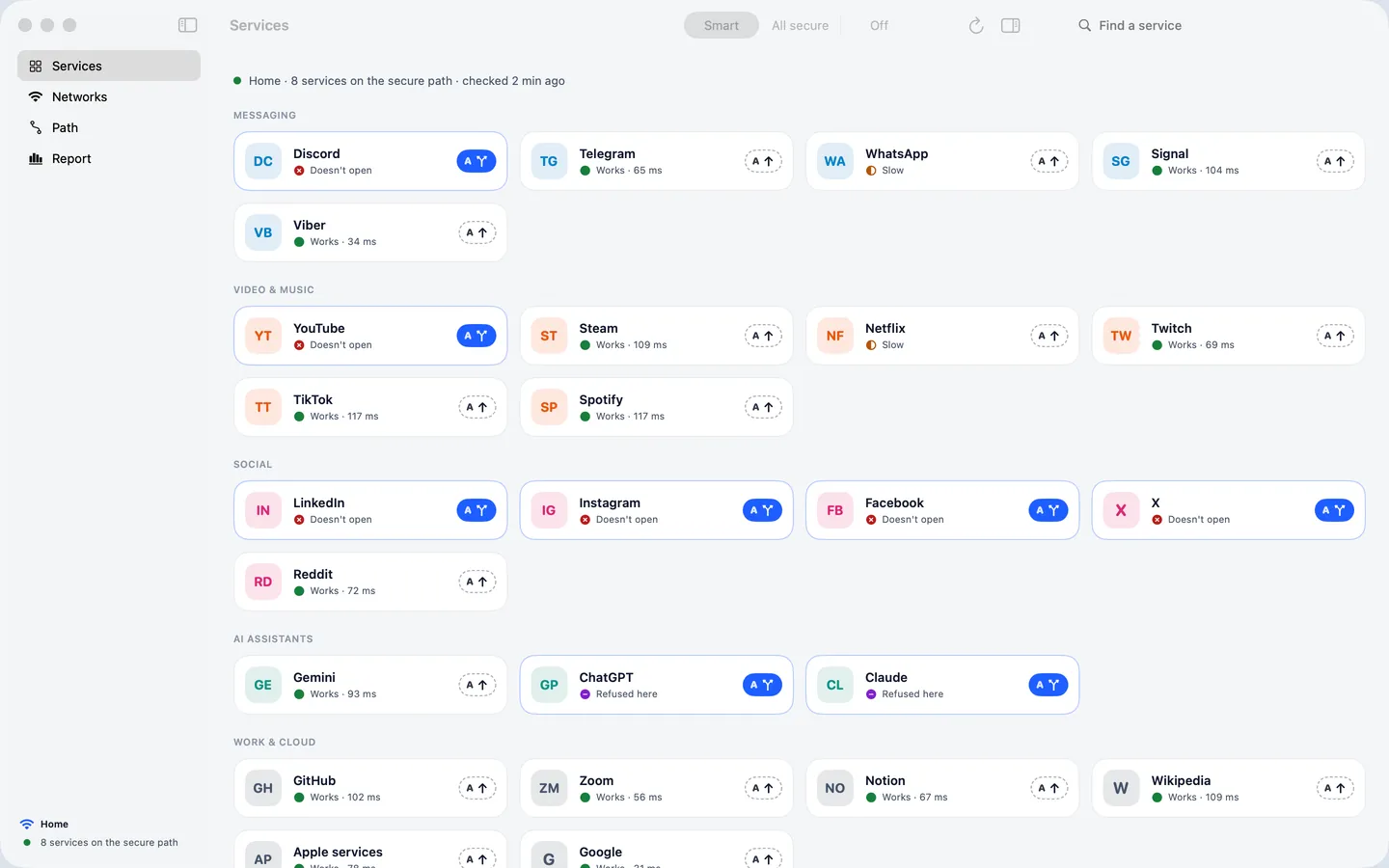
Forty popular services on one board: messengers, video and music, social networks, AI assistants, work tools and local services. Each tile shows whether the service works on this network right now and which lane it takes.
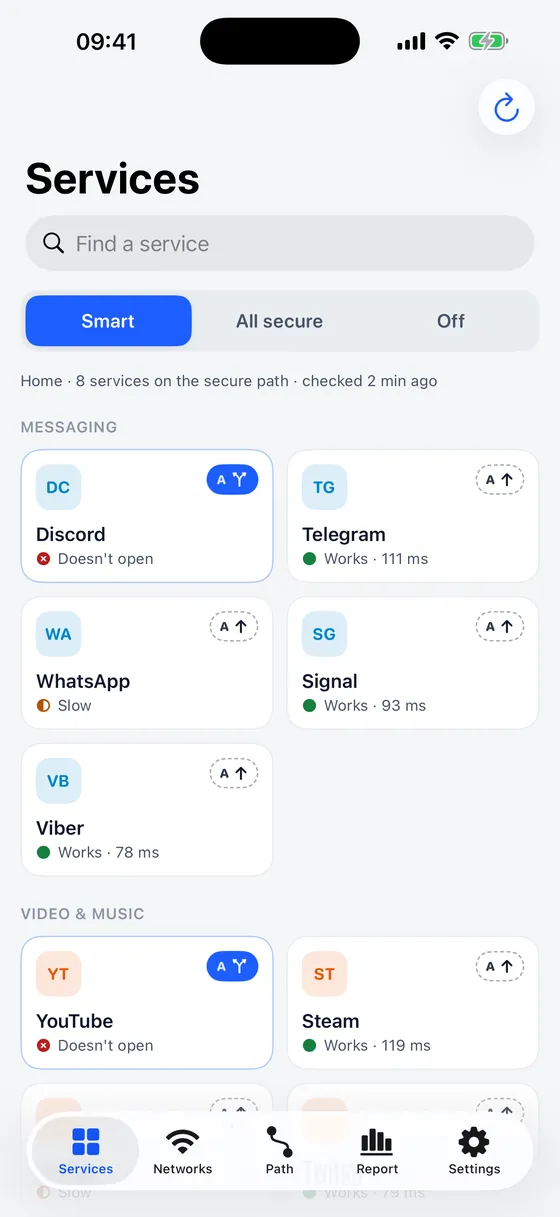
See which services open on the network you're on — and route only the ones that need it through your own secure path. Everything else stays direct and fast.
Coming soon to the App Store
For iPhone and Mac. Apple TV comes next.
Open the app and it checks which services open directly on the network you're on — at home, at work, in a café or on cellular.
Paste the link from your VPN provider or scan its QR code. Twinlane uses it only for the services that need it.
Services that don't open directly go through your secure path. Everything else goes direct — fast, with local apps and banking working as usual.
Forty popular services on one board: messengers, video and music, social networks, AI assistants, work tools and local services. Each tile shows whether the service works on this network right now and which lane it takes.
Leave a service on Auto and Twinlane routes it by what the checks find. Or choose Direct or Secure yourself — everywhere, or only on one network. Twinlane builds the routing rules for you; there is nothing to write by hand.
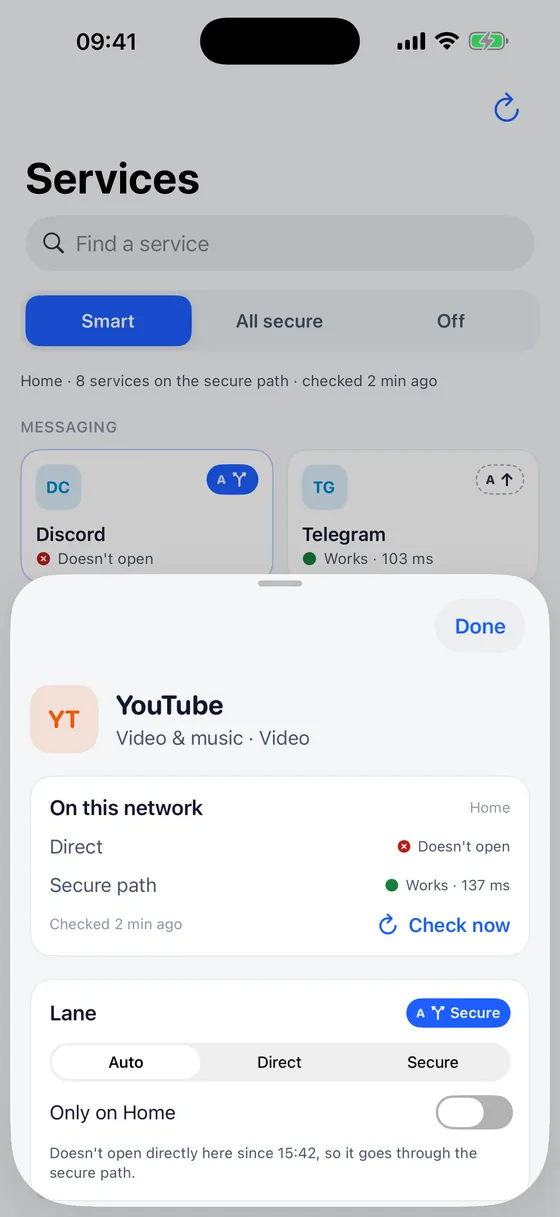
Twinlane remembers what works on each network and applies the right lanes as soon as you join it. Give a network its own mode, or pause Twinlane there.
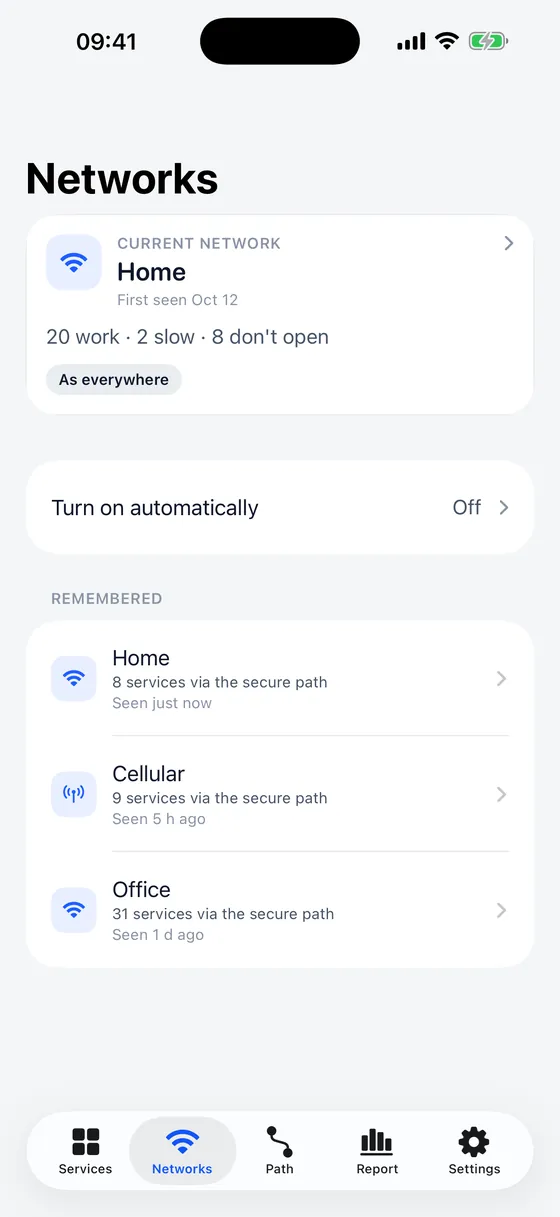
There is no power button. Pick how Twinlane routes, and give a single network its own mode if you like.
Sends through the secure path only what needs it.
Sends everything through the secure path.
Turns it off. Twinlane can still check services directly.
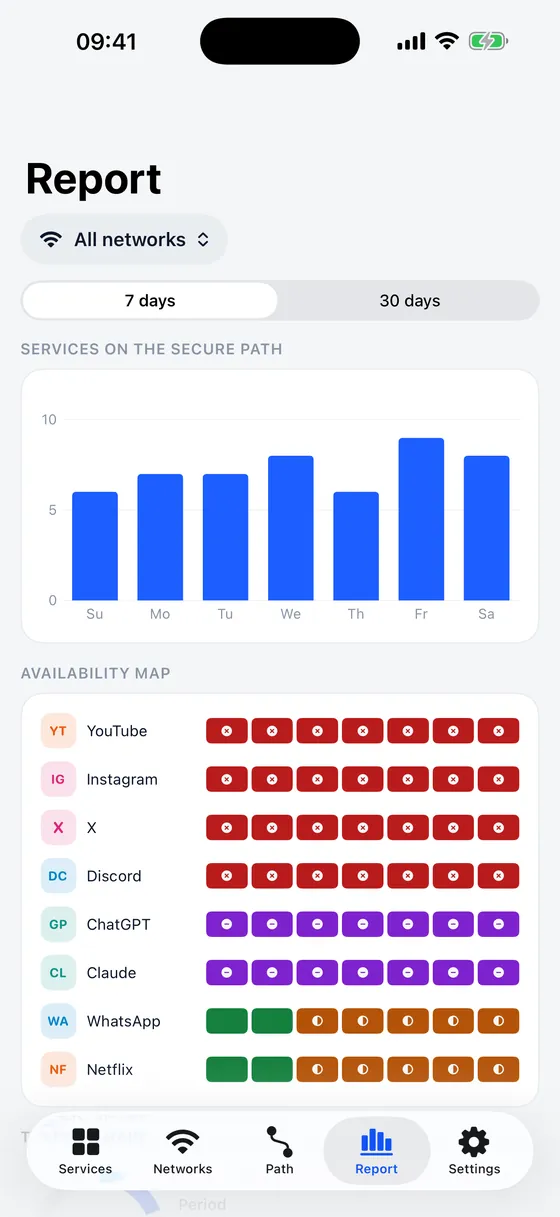
See which services needed the secure path, on which networks, and when that changed. It is counted and stored on your device only.
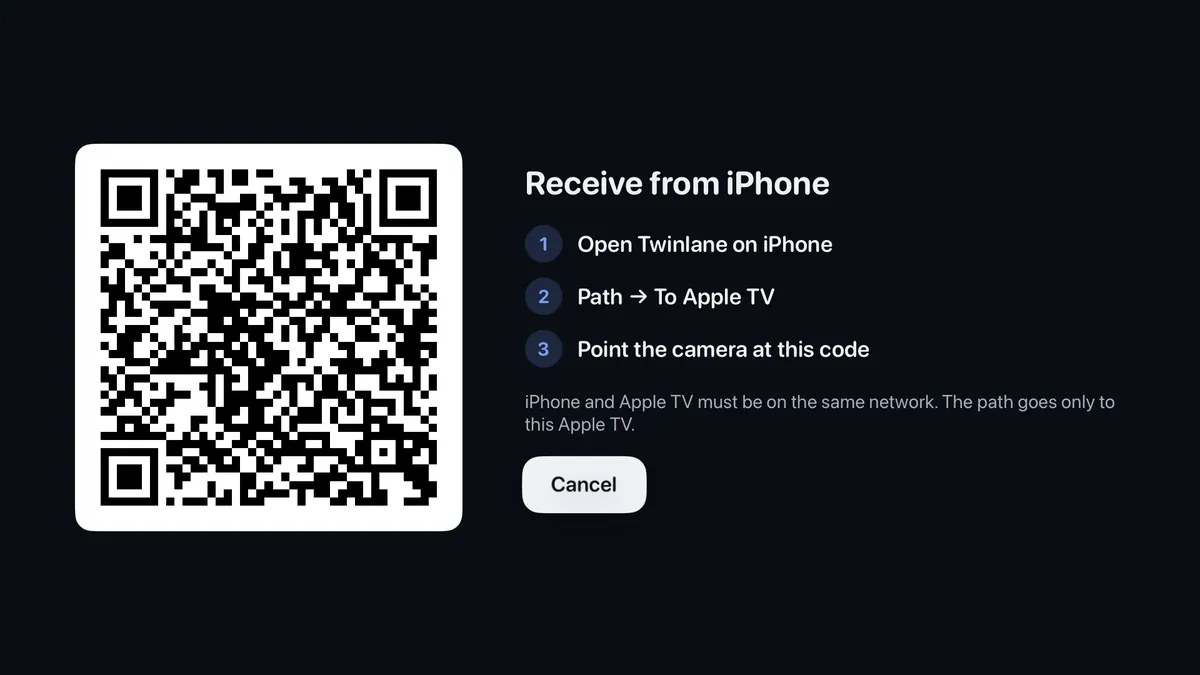
Twinlane comes to iPhone and Mac first. Apple TV follows: in Twinlane on iPhone open Path → To Apple TV and scan the code on the TV, then confirm that the same short code shows on both screens. The transfer stays on your home network and goes only to your own Apple TV. No iPhone at hand? Enter the provider link on the TV instead.
Twinlane does not sell VPN access and is not tied to any provider. It works with the link you already have.
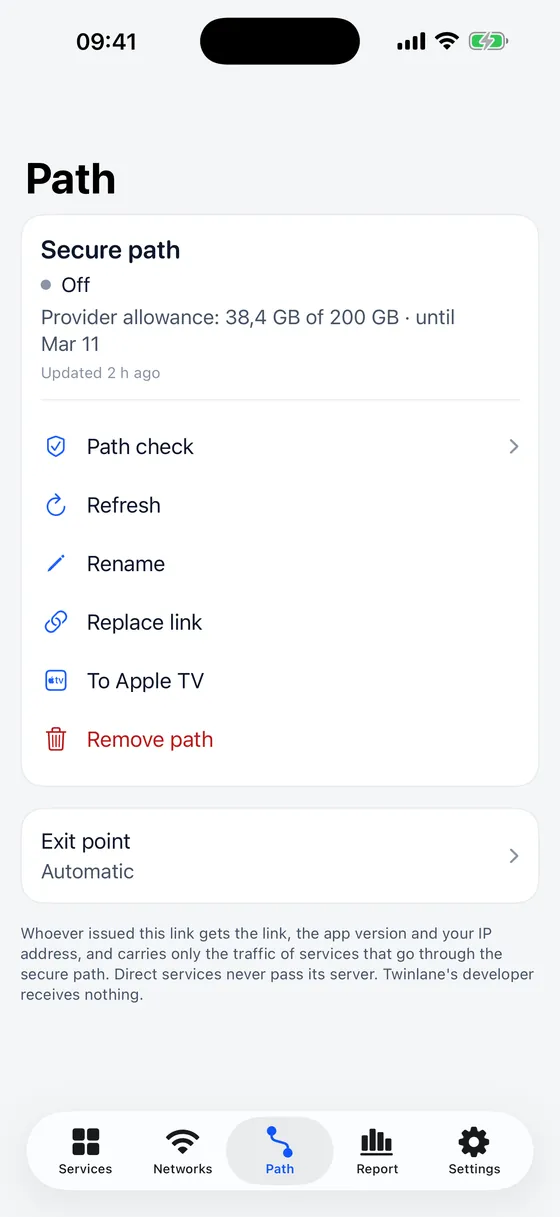
Add the link once. The Path tab shows your secure path and its exit points — leave it on Automatic, or choose one yourself.
No accounts, no ads, no analytics. We run no server that receives data from the app.
| Us, the developer | Nothing. Twinlane sends us no data, and we have no server to receive it. |
|---|---|
| Your provider | Your link, the app name and version, the operating system and device model, the interface language and a random installation identifier — plus your IP address and the traffic of services on the secure path. Services that go direct never pass its server. |
| The services Twinlane checks | Your device's IP address and one short request in which Twinlane names itself — just as opening their website would. |
| Your device | Everything else: your choices, check results, remembered networks and the report. The provider link is stored encrypted in the Keychain. |
No. Twinlane does not sell VPN access, runs no servers and is not tied to any provider. It works with a link you already have from a provider of your choice.
The link your VPN provider issued to you — paste it or scan its QR code. A link to a single server is not enough: Twinlane needs the provider link.
On every network it checks each service from your device: name lookup, connection, secure handshake and one short request in which Twinlane names itself. A service that doesn't open directly moves to the secure path, and moves back after three successful direct checks in a row. You can always choose Direct or Secure yourself.
Local services and banks go direct by default, so they work as usual. If a bank or government site refuses to load, set it to Direct — they often refuse connections from abroad.
Only what passes through it: your link, the app version and device details needed to load it, your IP address, and the traffic of services on the secure path. Services that go direct never pass its server. Twinlane shows this on screen before you add a link.
No. There are no accounts, ads or analytics, and we run no server that receives data from the app. Checks, networks and the report stay on your device.
iPhone and Mac first. Apple TV comes next: it takes the secure path from your iPhone, or you enter the link on the TV.